

One form, five steps
The intake is a single guided form in five steps. Your answers are the foundation our team builds your content from, so the more precise they are, the better your content will be. Everything saves as you type, so you can stop at any time and pick up where you left off.
Your registration details, such as your name, email, company and website, are already filled in on step 1.
The five steps
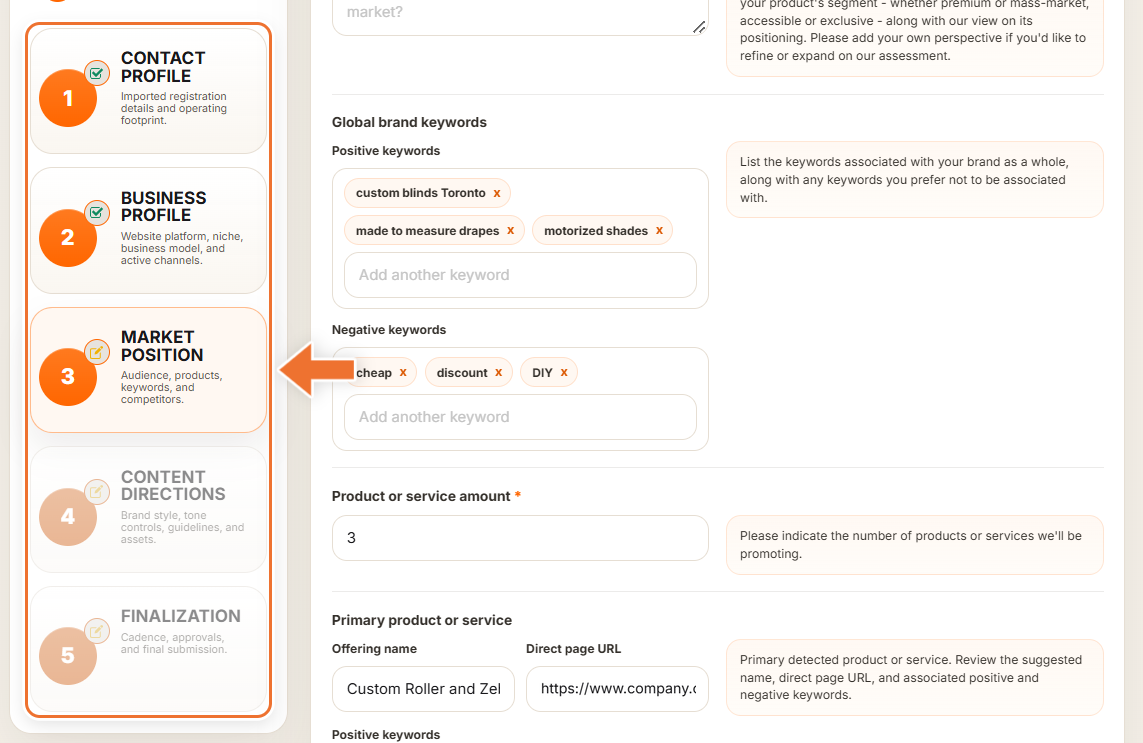
- Contact Profile – your name, email, phone, main website, company, the country where your company is registered, the countries where you operate and, optionally, specific areas you want to focus on.
- Business Profile – the platform your website runs on, your niche, whether you sell products, services or both, whether you sell to businesses or consumers, and links to the social media and other channels you already use.
- Market Position – your target audience, what motivates your customers, how they decide, your market positioning, the keywords you want to be associated with (and those you do not), up to three main products or services with their pages, and your competitors.
- Content Directions – your brand style, four sliders for tone (Formal / Casual, Serious / Playful, Minimal / Elaborate, Simple / Technical), extra writing guidelines, topics and imagery to avoid, and your logo, brand assets and image samples.
- Finalization – how often you want us to publish, the article length, the channels we publish to, how we keep you posted, and your final confirmation before you submit.
No logo, brand assets or image samples yet? Tick the box under each one, for example "We don't have a logo yet. Please create one for us.", instead of uploading files.
Moving between steps
The list of steps on the left shows where you are. A finished step gets a tick, and "Steps ready" counts how many of the five are complete. A step opens once the one before it is complete; until then it shows "Complete the previous stage to continue."
Use "Continue" to go forward and "Back" to revisit an earlier step. On steps 1, 2 and 3, pressing "Continue" also starts the AI research that pre-fills the next step.
Required fields
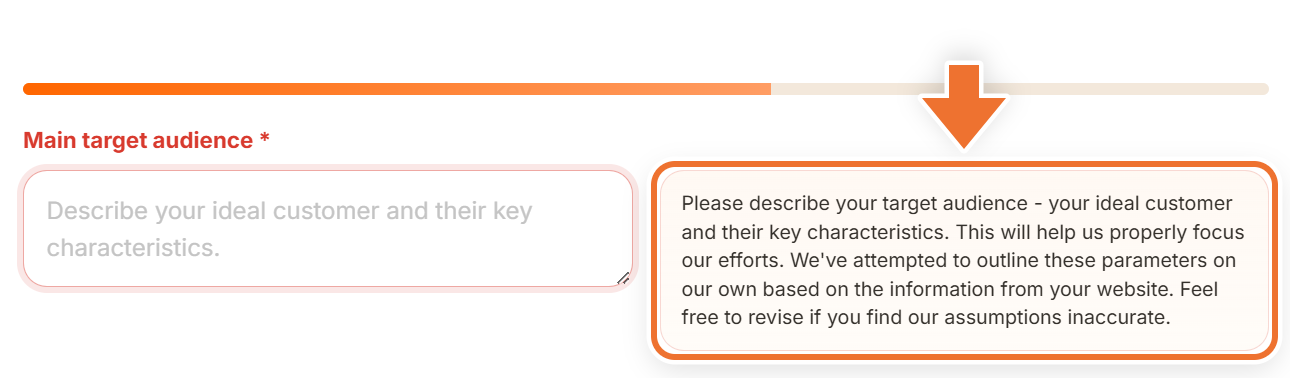
Required fields are marked with an asterisk. If one is empty when you press "Continue", the form keeps you on the step, outlines the field in red, scrolls to it and shows "Please fill in all required fields on this step before continuing." Optional fields can stay blank.
Help on every field
Next to each question, a panel explains what we are looking for and why it matters. Many answers on steps 2 to 4 are suggested by our AI, and the panel says so; read them and correct anything that is not right.
Keyword fields
Keyword fields turn each entry into a small chip. Type a word or phrase and press comma, Enter or Tab to add it. Paste a list separated by commas or new lines to add many at once. Remove a chip with its "x", or press Backspace in the empty box to remove the last one.