
Why we ask for access
As part of your content marketing service, In-Store publishes posts to your Telegram channel on your behalf. Telegram handles this with bots rather than shared logins, so we build a bot for your channel and you add it as an administrator. You do not share your password, we cannot read your personal chats, and you can remove the bot whenever you choose. The whole process takes about five minutes.
The bot we build for you
Every client gets their own bot, created and looked after by us. You do not need to make one or handle any keys or tokens.
We give you your bot’s username during onboarding. It looks something like @yourbusiness_instore_bot. That username is the only thing you need from us.
What you’ll need
- A Telegram channel for your business.
- To be the owner of that channel, or an administrator with permission to add other admins.
- Your bot’s username, which we provide.
- About five minutes.
Step 1 – Open your channel’s administrator list
- Open Telegram and go to your channel.
- Tap the channel name at the top to open the channel info screen.
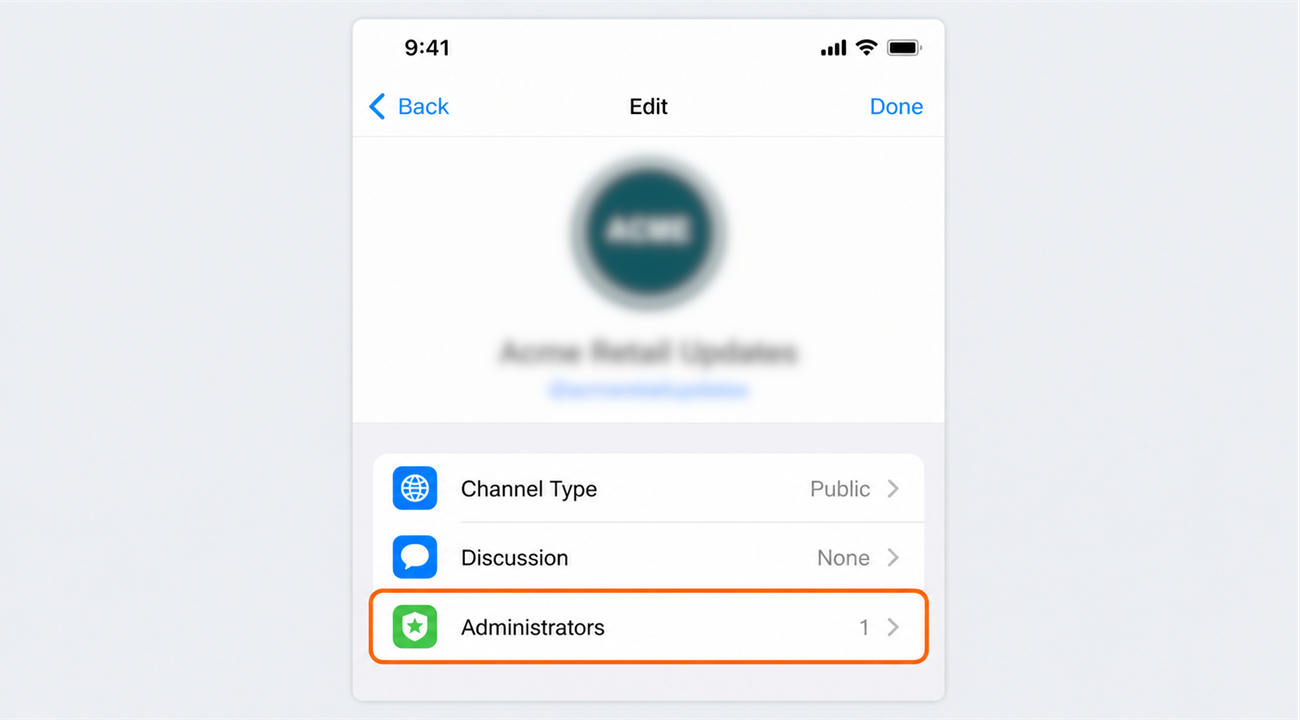
- Tap Edit, then Administrators.
Step 2 – Add the In-Store bot
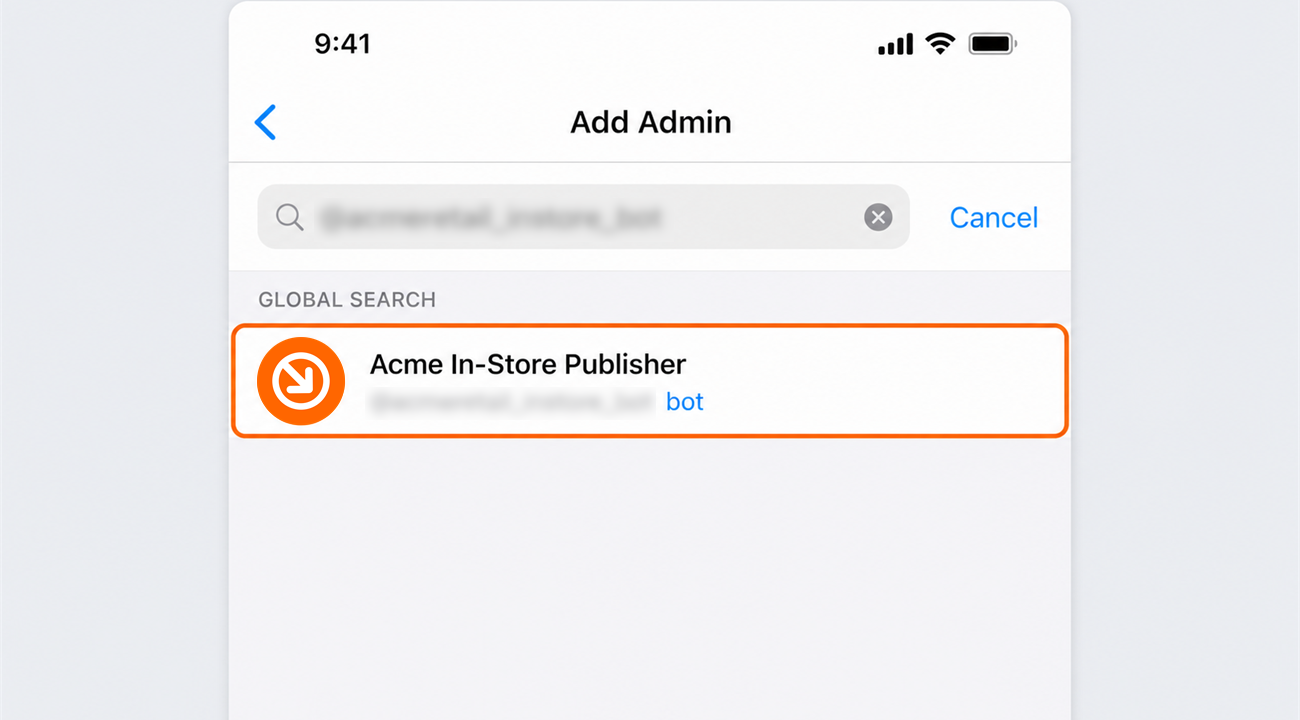
Tap Add Admin, then type your bot’s username into the search box and select it. Bots do not appear in your contacts, so you have to search for the username rather than scroll to find it.
Step 3 – Grant permission to post
Telegram shows a list of things the bot is allowed to do. Turn on Post Messages and leave everything else switched off, then save.
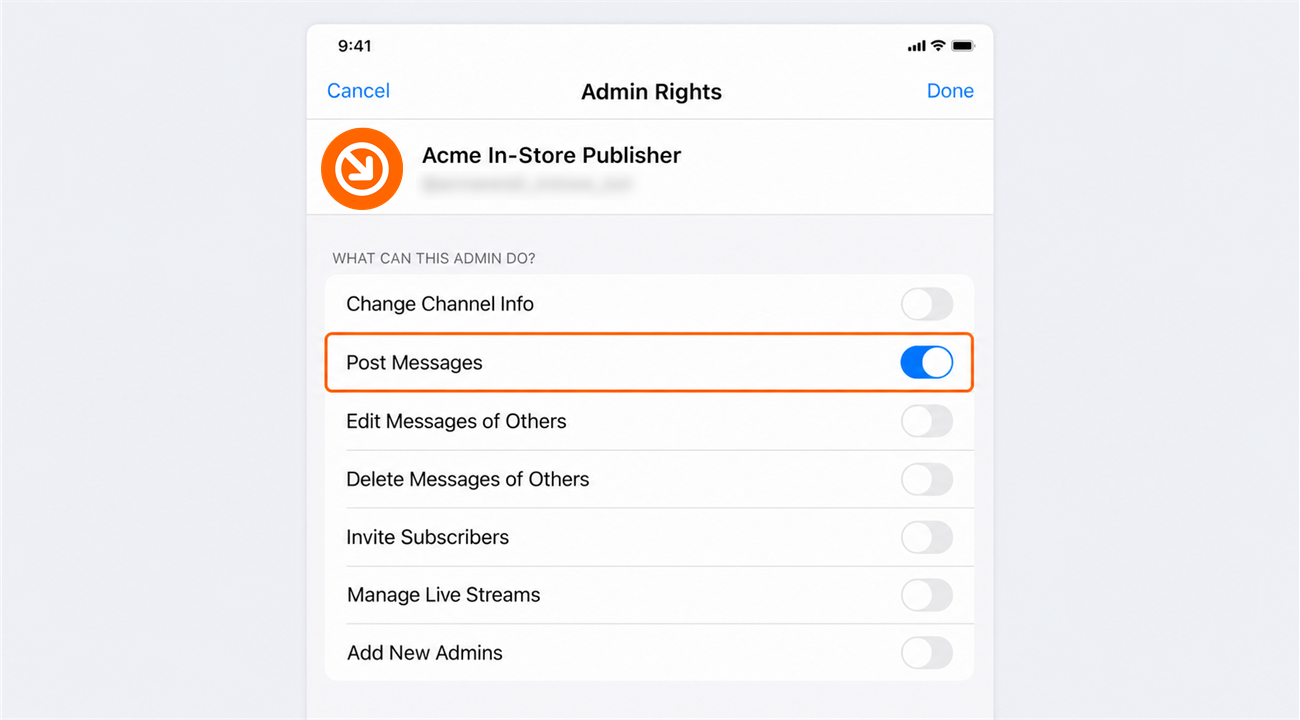
Post Messages is all we need. It also covers removing posts we published ourselves, so there is no reason to grant Delete Messages, Edit Info, Add Members or anything else. If a setting is not on this list, we are not asking for it.
Step 4 – Confirm the connection
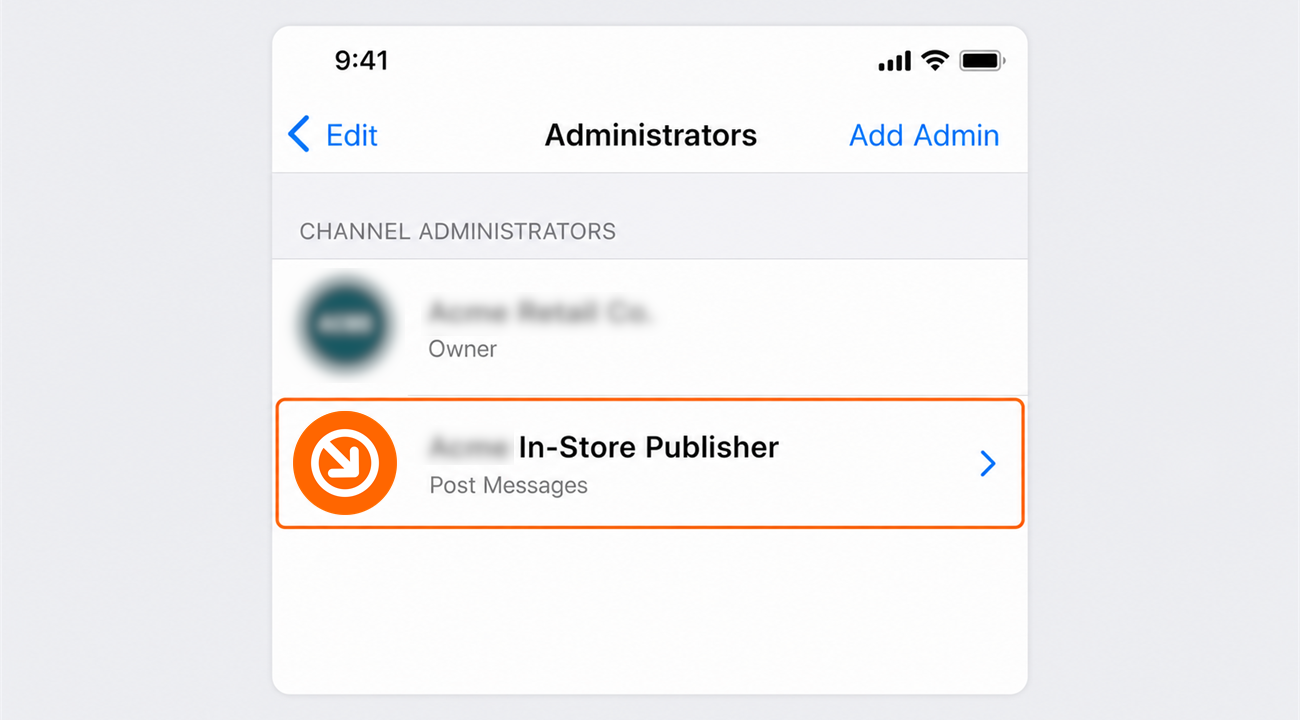
Your bot should now appear in the channel’s administrator list. If it is there, you are done.
What happens next
That is it. In-Store can now publish to your channel, and we will confirm with you once publishing is live. You remain the owner of the channel throughout, and you can carry on posting yourself whenever you want.
One limitation worth knowing
Telegram only lets a bot delete its own messages for 48 hours after posting them. Inside that window we can remove a post for you. After it, the post has to be deleted by you in Telegram, the same way you would delete any other message in your channel.
This is not specific to In-Store. It is a rule Telegram applies to every bot, so it works the same way with any other agency or scheduling tool.
Removing our access at any time
You are always in control, and you can remove the bot yourself without contacting us. Open your channel, tap the channel name, then Edit, then Administrators, select your bot, and choose Dismiss Admin. You can also remove it from the channel entirely.
Need a hand?
Ask our interactive chat bot or give us a call. Our contact info can be found in the link below.